
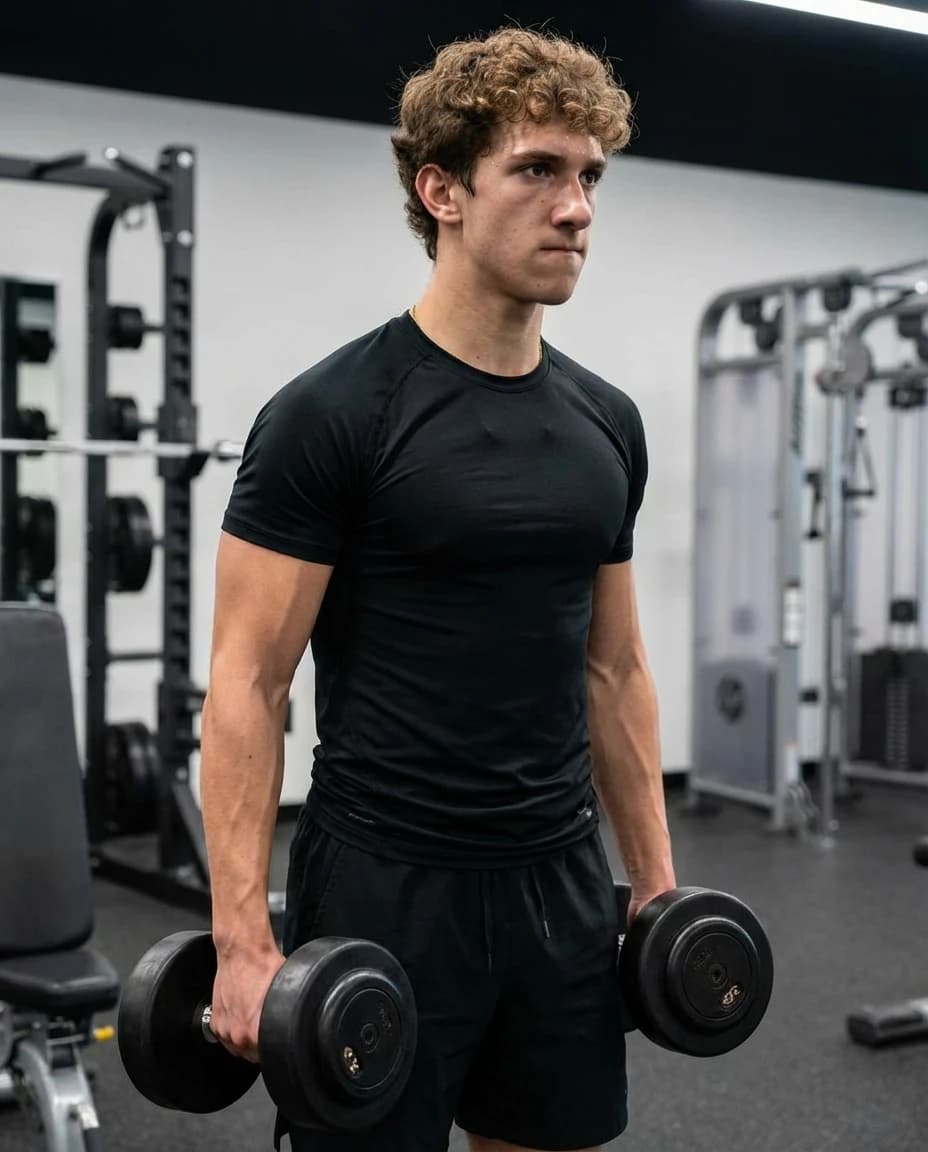

If you are wondering how to take pictures for Tinder, start with a simple rule: every photo should make it easier to understand you. A good picture shows what you look like now. A great profile set also shows your style, your routine, your social context, and one or two things someone could ask you about.
You do not need a professional shoot to improve your profile. You need enough clear photos to choose from, better light, and a lineup that avoids confusion.
Tired of swiping without getting matches?
Our AI trained on 10,000+ profiles rated by hot guys and girls will give you personalized feedback and tips to boost your dating profile for good.
You will know exactly which pictures are good or not, and most importantly why.
So, what are you waiting for to take charge of your dating life?
1. Take the First Photo for Recognition
Your first Tinder picture should be a recent solo photo. Use natural light, keep your face visible, and avoid anything that hides your eyes. Tinder’s own FAQ recommends photos that feature you, are in focus, and remove sunglasses because they hide your face.
A simple waist-up portrait usually works well: clean background, relaxed expression, and enough distance that the camera is not distorting your face. Save group photos, travel shots, and hobby photos for later in the profile.
2. Take One Full-Body or Waist-Up Photo
A profile made only of close-up selfies feels incomplete. Add one photo that shows your overall look, posture, and style. This can be a street photo, a dinner photo, a walking shot, or a clean outdoor picture.
The goal is not to pose like a model. Stand normally, relax your shoulders, and keep your hands occupied if you feel stiff: hold a coffee, jacket, book, phone, dog leash, or gym bag.
Small aside. Did you know it is possible to get professional-quality photos for your dating profile in just 1 hour?
Thanks to our AI trained on 10,000+ pictures rated by hot guys and girls, you can get 40 ultra-realistic photos optimized for dating apps.
No photoshoot needed, no awkward poses—just upload a few selfies and get results that actually work.
3. Take One Activity Photo
Activity photos help your profile feel more real. Pick something you actually do or would happily talk about: cooking, hiking, running, music, football, tennis, skiing, reading in a cafe, a museum, a market, a road trip, or a weekend project.
The activity does not have to be impressive. It has to be readable. If someone can understand the scene in one second, it can become an easy opening message.
4. Take One Social Photo, But Keep It Obvious
A social photo can show that you have a life outside the app, but it should not become a guessing game. Use one group or event photo where you are clearly visible and easy to identify.
Do not make the first image a group shot. Do not include several similar group photos. If the viewer has to compare faces across the profile to find you, the photo is hurting more than helping.
Small aside. Did you know it is possible to get professional-quality photos for your dating profile in just 1 hour?
Thanks to our AI trained on 10,000+ pictures rated by hot guys and girls, you can get 40 ultra-realistic photos optimized for dating apps.
No photoshoot needed, no awkward poses—just upload a few selfies and get results that actually work.
5. Take One Dressed-Up or Date-Ready Photo
Include one photo that shows how you clean up. That could be a wedding guest outfit, a dinner outfit, a nice jacket, a rooftop photo, a holiday evening, or a sharp casual look.
This picture should still feel like you. If the outfit or setting looks completely disconnected from your real life, it may read as staged.
If the problem is your photos, get dating pics generated in 2 minutes that still look like you.
6. Use Better Light and Distance
Light matters more than camera gear. Try open shade, window light, or soft evening light. Avoid harsh overhead lights, dark rooms, and direct sun that makes you squint.
Distance also matters. Arm-length selfies can make your face look distorted and remove useful context. If you are alone, use the back camera, a timer, and a stable surface or tripod. Step back, take a burst, then change the angle or posture and repeat.
Tired of swiping without getting matches?
Our AI trained on 10,000+ profiles rated by hot guys and girls will give you personalized feedback and tips to boost your dating profile for good.
You will know exactly which pictures are good or not, and most importantly why.
So, what are you waiting for to take charge of your dating life?
7. Pick and Order the Final Tinder Photos
After you take the photos, narrow them down before uploading. Your first photo should be the clearest solo image. The next photos should add new information: body/style, activity, social proof, dressed-up look, and a conversation hook.
Tinder also offers Smart Photo, which Tinder describes as an on-device tool that can help identify profile-photo candidates from your camera roll. Use it as one signal, not as the only decision-maker.
8. Pictures to Avoid on Tinder
Before you upload, remove anything that creates doubt, confusion, or a low-effort impression.
- Blurry, dark, pixelated, or heavily cropped photos.
- Sunglasses in the first picture, especially if your eyes are hidden.
- Mirror selfies where the phone covers your face.
- Group photos as the lead image.
- Photos with an ex, mystery partner, or children without context.
- Old photos that no longer match your current look.
- Heavy filters, AI-looking edits, or face reshaping.
- Six photos from the same room, outfit, or selfie angle.
Tired of swiping without getting matches?
Our AI trained on 10,000+ profiles rated by hot guys and girls will give you personalized feedback and tips to boost your dating profile for good.
You will know exactly which pictures are good or not, and most importantly why.
So, what are you waiting for to take charge of your dating life?
Frequently Asked Questions
What pictures should I take for Tinder?
Take a clear solo portrait, a waist-up or full-body photo, an activity photo, one easy-to-read social photo, a dressed-up photo, and one conversation-starter photo. That gives your profile variety without making it feel random.
How do I pose for Tinder pictures?
Use simple, natural poses. Stand tall, relax your shoulders, avoid hiding your face, and give your hands something to do. Movement usually looks better than freezing in a stiff pose.
How do I take Tinder pictures alone?
Use the back camera, a timer, and a stable surface or tripod. Choose a place with natural light, step back from the camera, take several photos, then review them later instead of judging each shot immediately.
How does Tinder pick the best photo?
Tinder’s Smart Photo can help identify profile-photo candidates from your camera roll, but you still choose what to upload. Prioritize photos that are current, clear, and easy to understand.
Next, sharpen the rest of your profile with How to take great pictures for Tinder, How to take good pictures for Tinder, How to take professional photos for Tinder, How to make a good Tinder profile, How to Take Tinder Pictures by Yourself, and Best Pictures for Tinder.